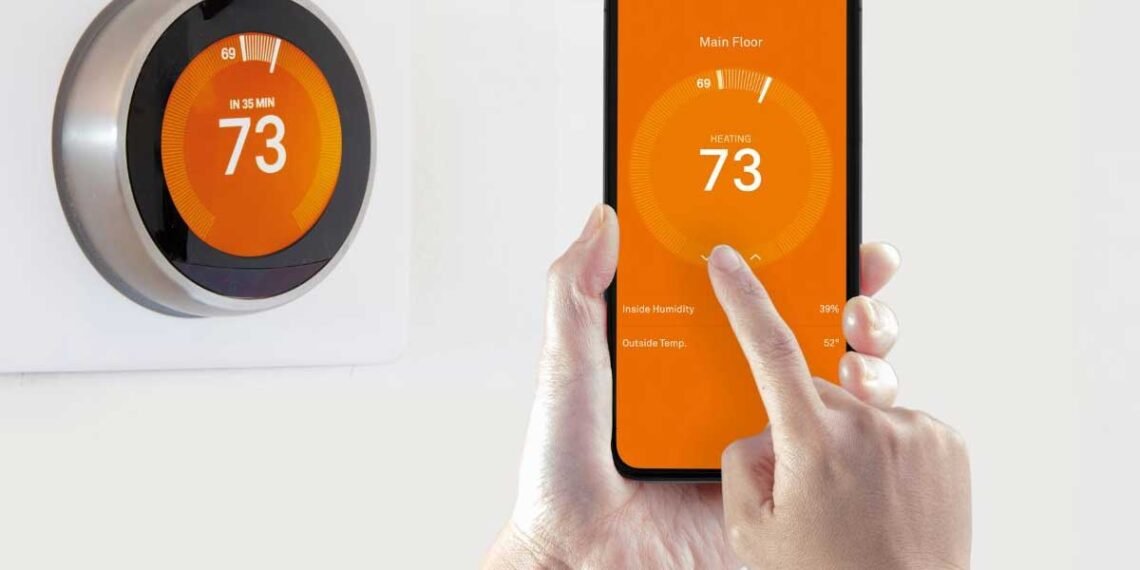
Welcome to the era of smart homes, where technology enhances comfort and efficiency. Among the most impactful home improvement upgrades you can make is installing a smart thermostat. This guide is designed to walk you through the process, ensuring a smooth installation and helping you unlock the full potential of your new device for improved energy efficiency and a more comfortable living environment.
Why Upgrade to a Smart Thermostat?
Smart thermostats offer significant advantages over traditional models. They provide precise temperature control, often learn your preferences, and can be managed remotely via a smartphone app. This not only enhances convenience but also contributes to substantial energy savings by optimizing your HVAC system’s operation, notes 1907 Property Management experts. Before You Begin: Essential Preparations
Proper preparation is key to a successful smart thermostat installation. Taking the time to complete these steps will save you time and potential frustration later on.
1. Check Compatibility with Your HVAC System
Not all smart thermostats are compatible with every HVAC system. Before purchasing, it’s crucial to verify that your chosen smart thermostat works with your existing heating and cooling setup. Most smart thermostats require a
C-wire (common wire) for continuous power. Check your current thermostat wiring and the smart thermostat’s specifications to ensure compatibility.
2. Gather Your Tools
Having the right tools on hand will make the installation process much smoother. You will typically need a screwdriver (Phillips and/or flathead), wire strippers, a drill (for mounting, if necessary), and possibly a flashlight. Always refer to your specific smart thermostat’s instruction manual for a precise list of required tools.
3. Power Down Your HVAC System
Safety is paramount. Before touching any wires, locate your home’s circuit breaker box and turn off the power to your HVAC system. This usually involves flipping the breaker labeled for your furnace or air handler. Double-check that the power is off by trying to adjust your old thermostat.
4. Document Your Existing Wiring
Take a clear photo of your old thermostat’s wiring connections before disconnecting anything. This picture will serve as a crucial reference when connecting the new smart thermostat. Label each wire with the corresponding terminal letter (e.g., R, G, Y, W, C) using the provided labels in your smart thermostat kit or masking tape.
Step-by-Step Smart Thermostat Installation
With preparations complete, you are ready to install your new smart thermostat. Follow these general steps, but always prioritize the specific instructions provided by your device’s manufacturer.
1. Remove the Old Thermostat
Carefully detach your old thermostat from the wall plate. Some models may have screws, while others might simply snap off. Once the thermostat body is removed, unscrew the wall plate from the wall.
2. Connect the New Thermostat Wires
Refer to the photo you took earlier and your new smart thermostat’s wiring diagram. Connect the labeled wires to the corresponding terminals on the new thermostat’s backplate. Ensure each wire is securely fastened. If your smart thermostat requires a C-wire and your system doesn’t have one, you may need to install a power extender kit or consult an HVAC professional.
3. Mount the New Thermostat
Once the wires are connected, securely mount the new thermostat’s backplate to the wall using the provided screws. Then, attach the smart thermostat unit to the backplate, ensuring it clicks firmly into place.
4. Restore Power and Configure
Return to your circuit breaker box and restore power to your HVAC system. Your smart thermostat should power on. Follow the on-screen prompts or the companion app instructions to connect it to your home’s Wi-Fi network and complete the initial setup. This typically involves setting your location, time, and preferred temperature settings.
Common Issues and Troubleshooting Tips
Even with careful installation, you might encounter minor issues. Here are some common problems and how to address them:
•No Power to the Thermostat: Double-check the circuit breaker. If it’s on, ensure all wires are securely connected, especially the C-wire if applicable.
•Wi-Fi Connection Problems: Verify your Wi-Fi password and ensure the thermostat is within range of your router. You might need to restart your router.
•HVAC System Not Responding: Re-check your wiring connections against your photo and the thermostat’s diagram. Incorrect wiring is a frequent cause of this issue.
•Inaccurate Temperature Readings: Ensure the thermostat is not exposed to direct sunlight, drafts, or heat sources that could skew its readings.
Maintaining Your Smart Thermostat for Optimal Performance
Once installed, a smart thermostat requires minimal maintenance. However, a few practices can ensure its longevity and continued energy efficiency:
•Keep it Clean: Periodically wipe down the thermostat screen and body with a soft, dry cloth to prevent dust buildup.
•Software Updates: Allow your smart thermostat to install software updates. These often include performance improvements, new features, and security enhancements.
•Monitor Energy Usage: Utilize the energy usage reports provided by your smart thermostat’s app to identify patterns and further optimize your heating and cooling schedules.
Conclusion
Installing a smart thermostat is a rewarding home improvement project that can significantly enhance your comfort, convenience, and energy efficiency. By following this guide and paying attention to detail, you can successfully integrate this smart technology into your home. Embrace the future of home climate control and enjoy the benefits of a smarter, more efficient living space.
-
Aliza
-
I’m Aliza, the founder of Urdu Novel Bank. I built this site because I love Urdu stories and want everyone to enjoy them. As an Urdu literature lover, I choose the best novels to share with you. Here you can find free Urdu novels in romance, mystery, thriller and more. Read online or download PDF chapters without signing up. I update the library often so you’ll always have new tales to explore. My goal is to bring Urdu literature to readers around the world.